
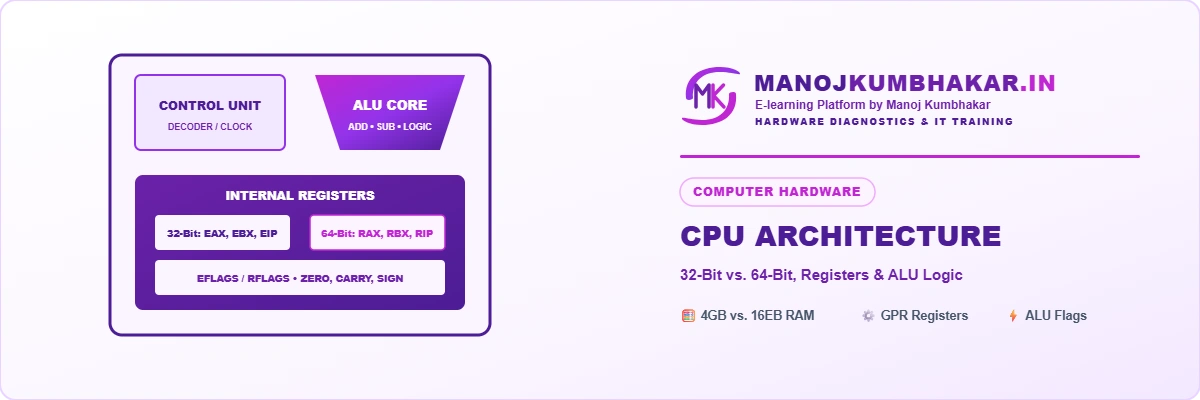
Analyzing modern CPU architecture 32-bit vs 64-bit forms the foundation for understanding instruction pipelines, internal register bit-widths, and linear physical memory addressing. At the heart of computer systems, the Central Processing Unit (CPU) executes code by retrieving machine instructions, loading data into high-speed local registers, and running calculations through the Arithmetic Logic Unit (ALU).
Whether you are sizing system memory channels in our guide on storage devices and memory architecture or designing motherboards around motherboard architecture and form factors, word size directly dictates processing throughput.
1. What is Word Size in CPU Architecture 32-Bit vs 64-Bit?
In digital computing, a processor’s bit-width indicates its natural word size. In CPU architecture 32-bit vs 64-bit, this number represents the maximum width of data integers that the ALU can compute in a single clock cycle, alongside the maximum bit-width of its internal General-Purpose Registers (GPRs).
A 32-bit CPU operates natively on 32 bits (4 bytes) of binary data at a time, with integer ranges between 0 and 4,294,967,295 ($2^{32}-1$). In contrast, a 64-bit microprocessor handles 64 bits (8 bytes) per instruction, representing numbers up to 18,446,744,073,709,551,615 ($2^{64}-1$). This prevents mathematical overflow errors and eliminates cycle overhead during large floating-point calculations.
2. The Evolution of 32-Bit (x86) to 64-Bit (x86-64 / AMD64)
The classic 32-bit architecture originated with Intel’s 80386 processor (IA-32), establishing the x86 standard. While IA-32 dominated for two decades, exponential data requirements necessitated expanded address spaces.
AMD introduced AMD64 (later mirrored by Intel as Intel 64), which added native 64-bit mode while preserving backwards compatibility with legacy 32-bit software. Standards defined by open x86-64 architectural specifications expanded the number of general-purpose registers from 8 to 16, dramatically reducing memory bus roundtrips.
3. Memory Addressing: Overcoming the 4 GB RAM Barrier
The most visible limitation separating CPU architecture 32-bit vs 64-bit is addressable physical RAM capacity:
A 32-bit address bus can access exactly $2^{32}$ individual memory bytes:
232 bytes = 4,294,967,296 bytes = 4 Gigabytes (GB).
Even if you install 16 GB of physical RAM on a 32-bit platform, the hardware address lines cannot reference memory offsets above 4 GB. A 64-bit address bus addresses up to $2^{64}$ bytes (16 Exabytes or ~17.2 billion GB), far beyond current hardware limits.
4. CPU Registers: General Purpose and Special Purpose Units
Registers are microscopic storage locations integrated directly onto the CPU die, operating at core clock speeds without bus latency. In CPU architecture 32-bit vs 64-bit systems, registers serve critical functions across two primary categories:
- Program Counter (PC / EIP / RIP): Holds the memory address of the next instruction waiting to be fetched from cache or RAM.
- Instruction Register (IR): Holds the operational opcode currently being decoded by the control unit.
- Memory Address Register (MAR): Specifies the physical RAM address from which data is being read or written.
- Memory Buffer Register (MBR / MDR): Acts as a temporary holding area for data arriving from or being dispatched to the system bus.
- Accumulator (EAX / RAX): Primary operational register where the ALU deposits results from mathematical and logical calculations.
5. ALU Operations and Processor Status Flags
The Arithmetic Logic Unit (ALU) is the mathematical core of the CPU. It handles elementary binary arithmetic (Addition, Subtraction) and bitwise logical operations (AND, OR, NOT, XOR, Bit Shifts).
Following each calculation, the ALU updates a dedicated Flags Register (EFLAGS / RFLAGS):
- Zero Flag (ZF): Set to 1 if an operation yields a result equal to zero (essential for conditional branches and loops).
- Sign Flag (SF): Matches the most significant bit (MSB) to denote negative results.
- Carry Flag (CF): Signals an unsigned arithmetic overflow, such as a carry-out from the highest-order bit.
- Overflow Flag (OF): Triggers when signed binary two’s-complement arithmetic exceeds positive or negative register bounds.
6. Comprehensive Comparison: CPU Architecture 32-Bit vs 64-Bit
To master exam questions and understand operating system choices for CPU architecture 32-bit vs 64-bit, review the key architectural differences:
| Architectural Metric | 32-Bit Architecture (x86 / IA-32) | 64-Bit Architecture (x86-64 / AMD64) |
|---|---|---|
| Natural Register Bit-Width | 32 Bits (4 Bytes per register) | 64 Bits (8 Bytes per register) |
| General-Purpose Registers (GPRs) | 8 Standard Registers (EAX, EBX, ECX, EDX…) | 16 Standard Registers (RAX, RBX, R8-R15) |
| Max Physical RAM Addressing | 4 Gigabytes ($2^{32}$ Bytes) | 16 Exabytes ($2^{64}$ Bytes; typically 128TB+ practical) |
| Integer Precision per Cycle | Up to 4.29 Billion ($2^{32}-1$) | Up to 18.44 Quintillion ($2^{64}-1$) |
| Operating System Requirement | 32-Bit OS (Windows 7/10 32-bit, Linux x86) | 64-Bit OS (Windows 10/11 64-bit, Linux x86-64) |
| Hardware Compatibility | Cannot run 64-bit instructions | Natively executes both 64-bit and 32-bit legacy code |
| System Security Features | Basic DEP (Data Execution Prevention) | Hardware DEP, Mandatory Kernel Patch Protection (KPP) |
7. Operating System and Software Compatibility Rules
When choosing and maintaining modern CPU architecture 32-bit vs 64-bit hardware, follow these technical rules:
- Upward Incompatibility: A 32-bit processor cannot execute a 64-bit operating system or 64-bit compiled software applications.
- Backwards Compatibility (WoW64): A 64-bit processor can run 32-bit software using translation layers (such as Windows 64-bit’s *Windows on Windows 64* subsystem).
- Modern Software Depreciation: Modern enterprise applications, creative suites, and current operating systems (such as Windows 11) run exclusively on 64-bit hardware, leaving 32-bit deployments for legacy embedded environments.
Conclusion
Understanding CPU architecture 32-bit vs 64-bit allows systems engineers and students to optimize hardware selection, configure internal register pipelines, and leverage expansive physical RAM architectures. Prioritizing 64-bit processors ensures high throughput across modern multi-threaded applications and diagnostic workloads.