
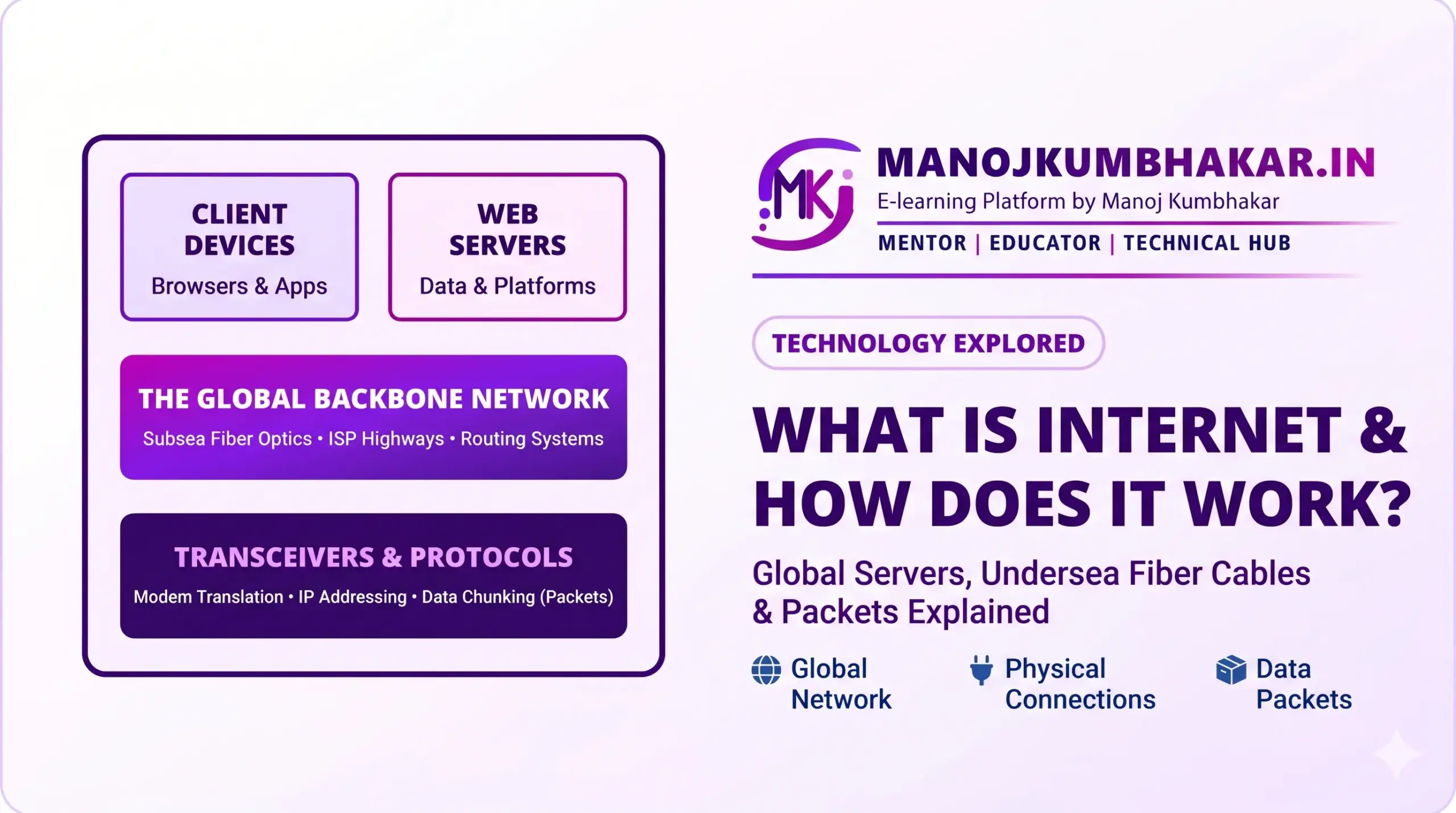
Right now, in less than the blink of an eye, billions of invisible flashes of light are racing through hair-thin glass fibers buried miles beneath the ocean floor just so this webpage could appear on your screen. Most people assume “the cloud” floats somewhere up in the sky—yet over 99% of intercontinental data actually travels under the sea.
If you have ever typed a website address, pressed Enter, and wondered what is internet and how does it work behind that split-second magic, you are about to uncover one of humanity’s greatest engineering marvels. Below, we trace the exact 6-step journey your data takes across routers, DNS servers, and underwater cables in under 200 milliseconds through an interactive breakdown.
Table of Contents
1. What is the Internet? (The Real Definition)
To answer what is internet and how does it work in plain English: the Internet is not a single giant supercomputer owned by one company. Instead, it is a massive, global “network of networks”—millions of private, public, academic, business, and government computer networks physically linked together by fiber-optic cables, copper wires, and wireless radio towers.
Think of it like the world’s highway system. Local neighborhood streets (your home Wi-Fi router) connect to regional highways (your Internet Service Provider, or ISP), which merge into massive international superhighways (global undersea fiber backbones) that connect every continent on Earth.
2. Internet vs. World Wide Web: Are They the Same?
Beginners often use “Internet” and “Web” interchangeably, but they are two completely different layers of technology:
- The Internet (The Hardware Highway): The physical infrastructure of cables, routers, cell towers, and servers that moves raw digital data from Point A to Point B.
- The World Wide Web (The Vehicles on the Highway): The collection of websites, web pages, videos, and hyperlinks you view inside a browser like Google Chrome or Safari using HTTP/HTTPS rules. Email, online gaming, and WhatsApp calls also travel over the Internet without using the World Wide Web.
Before your device can even connect to this global highway, your local system software must initialize your network card—learn how that works in our beginner guide on What is an Operating System.
3. How Does the Internet Work? (The 6-Step Journey)
Every time you click a link or search on Google, your device executes a six-stage relay race across the globe in fractions of a second. Explore this journey through our 100% responsive, high-speed timeline:
How the Internet Works: Step-by-Step
Step 1: Enter Web Address
You type manojkumbhakar.in into your browser, prompting your computer to establish a new internet route.
Step 2: DNS Lookup
The computer contacts a DNS server to translate the name into a numerical IP Address (like 192.0.2.1).
Step 3: Break Into Packets
Your data is broken into microscopic digital envelopes called packets to ensure fast and reliable transit.
Step 4: Routed Across Backbone
Fast routers navigate each packet across underground, undersea, and regional networks independently.
Step 5: Server Responds
The target web server accepts, reassembles, and processes the packets to prepare its digital reply.
Step 6: Display Website
Packets arrive, rearrange correctly, and build the screen before you in the blink of an eye.
4. The Hidden Physical Backbone: Undersea Fiber Cables
When you use mobile data on your smartphone, your signal travels wirelessly only for a short distance—from your phone to the nearest neighborhood cell tower. From the base of that tower, your data immediately enters underground and underwater fiber-optic cables.
Today, more than 600 active and planned submarine cable systems stretching over 1.5 million kilometers sit along the ocean floor, carrying over 99% of international internet traffic using pulses of laser light. Even modern satellite constellations like Starlink carry less than 1% of global data because physical glass fiber transmits massive bandwidth at the speed of light with far lower delay.
Where is the Internet? Cable & Connection Backbone
Client Devices (User)
Cell towers, Wi-Fi routers, laptops, and smartphones sending quick local radio waves.
Undersea Fiber Cables
Hair-thin optical fibers resting along the dark ocean floor, pulsing huge amounts of light around the world.
Ground Data Centers
Gigantic warehouse buildings equipped with stack servers running 24/7 to host data.
To explore global internet standards and infrastructure initiatives, visit the Internet Society Official Portal.
5. Quick Glossary: IP Address, DNS, Packets & Routers
| Core Internet Term | Real-World Analogy | Technical Role |
|---|---|---|
| IP Address | Your home mailing address | Unique numerical ID assigned to every connected device |
| DNS (Domain Name System) | Smartphone contacts list | Translates website names into numerical IP addresses |
| Data Packets | Numbered postcards in the mail | Small chunks of split data sent independently across networks |
| Router | Highway traffic controller | Directs packets along the fastest path to their destination |
| HTTP / HTTPS | Shared traffic rules & locks | Protocol governing secure web page transfer in browsers |
6. Frequently Asked Questions (FAQs)
Who owns or controls the Internet?
Nobody owns the entire Internet. It is decentralized—telecommunications companies, governments, universities, and cloud providers each own and maintain their own segments of cables and servers while agreeing to follow universal technical protocols (TCP/IP) so all networks can communicate seamlessly.
What happens if an undersea internet cable breaks?
When a ship anchor or underwater earthquake damages a submarine cable, global routers automatically reroute your data packets through alternate undersea cables within milliseconds. Users might notice slightly slower speeds until specialized cable-repair ships splice the broken glass fibers back together.
What is the difference between Wi-Fi and the Internet?
Wi-Fi is simply a short-range wireless radio signal connecting your laptop or phone to your home router. The Internet is the worldwide network of cables and servers that your router connects to through your Internet Service Provider.