
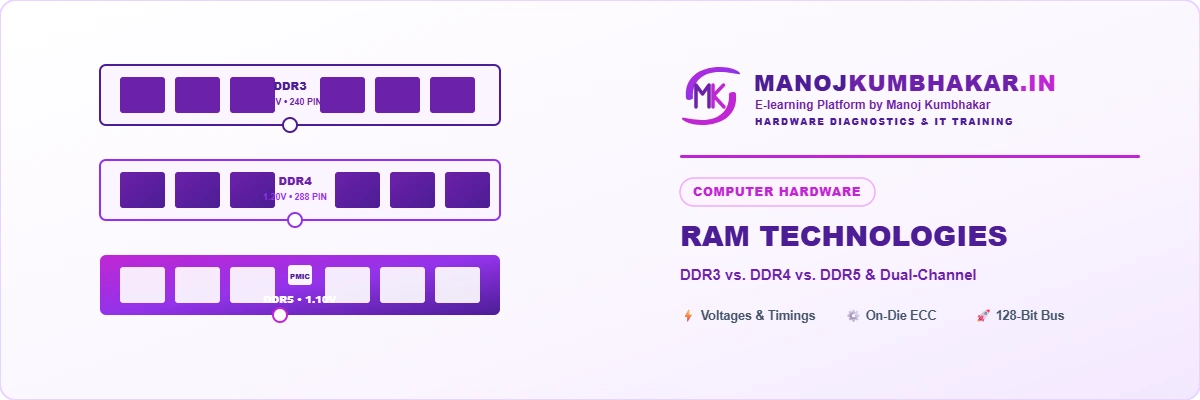
Understanding RAM technologies DDR3 vs DDR4 vs DDR5 is fundamental for technicians, computer science students, and system builders who configure modern computing platforms. Synchronous Dynamic Random-Access Memory (SDRAM) operates as the high-speed volatile scratchpad of the Central Processing Unit, directly influencing instruction execution latencies and aggregate data throughput.
As explored in our foundation guide on storage devices and memory architecture and our trace analysis of motherboard architecture and form factors, physical memory standards evolve rapidly to reduce operating voltages while doubling channel bandwidth.
- 1. What is Double Data Rate (DDR) Architecture?
- 2. DDR3 Architecture & Legacy Constraints
- 3. DDR4 Technology & Mainstream Adoption
- 4. DDR5 Innovations: PMIC & On-Die ECC
- 5. Technical Comparison: DDR3 vs. DDR4 vs. DDR5
- 6. Dual-Channel Architecture & Slot Installation
- 7. Diagnostics & BIOS Configuration Rules
1. What is Double Data Rate in RAM Technologies DDR3 vs DDR4 vs DDR5?
Legacy Single Data Rate (SDR) SDRAM transferred binary information strictly along the rising edge of the motherboard system clock pulse. Modern RAM technologies DDR3 vs DDR4 vs DDR5 utilize Double Data Rate (DDR) switching, transferring data on both the rising and falling edges of each clock cycle.
This dual-pumping technique doubles effective transfers without requiring an equivalent doubling of the internal core clock frequency. The evolution from DDR3 to DDR5 centers on increasing prefetch buffers, lowering operating voltages, and shifting voltage regulation onto the physical memory stick itself.
2. DDR3 Architecture and Legacy Operational Limits
Introduced in 2007, DDR3 SDRAM brought an 8-bit prefetch buffer, doubling the operational transfer rate of DDR2. DDR3 standard modules operate at a nominal 1.50V, with low-voltage variations (DDR3L) executing at 1.35V.
DDR3 unbuffered DIMMs feature 240 physical pins with standard transfer speeds between 800 MT/s and 2133 MT/s. While efficient for early multi-core processors, DDR3 eventually reached physical limits in signal attenuation, pin crosstalk, and thermal dissipation under enterprise server loads.
3. DDR4 Technology in RAM Technologies DDR3 vs DDR4 vs DDR5
DDR4 debuted in 2014, bringing significant density enhancements and power reduction down to 1.20V. DDR4 desktop modules utilize a 288-pin configuration with a curved bottom edge design that reduces insertion force and protects PCB traces from fracturing during installation.
DDR4 modules operate between 1600 MT/s and 3200 MT/s at official JEDEC standards, with high-frequency XMP kits exceeding 4000 MT/s. DDR4 introduced bank groups, allowing distinct memory banks to process simultaneous read and write cycles independently.
4. DDR5 Innovations: Power Management IC & On-Die ECC
DDR5 represents a clean-slate architectural redesign. While retaining a 288-pin count, the physical alignment notch has moved toward the center, rendering DDR5 incompatible with DDR4 motherboard sockets according to global standards outlined by the JEDEC Solid State Technology Association.
DDR5 moves power management circuitry from the motherboard directly onto the memory module via an onboard Power Management Integrated Circuit (PMIC) operating at 1.10V. Furthermore, DDR5 features native On-Die Error Correction Code (ODECC), correcting single-bit errors internally inside the silicon die to safeguard extreme memory densities against cell leakage.
5. Comprehensive Comparison: RAM Technologies DDR3 vs DDR4 vs DDR5
To analyze the generation-over-generation technical changes across RAM technologies DDR3 vs DDR4 vs DDR5 for hardware labs and board examinations, review the structural specifications below:
| Specification Metric | DDR3 SDRAM | DDR4 SDRAM | DDR5 SDRAM |
|---|---|---|---|
| Launch Year | 2007 | 2014 | 2020 / 2021 |
| Standard Data Rates | 800 – 2133 MT/s | 1600 – 3200 MT/s | 4800 – 8400+ MT/s |
| Standard Operating Voltage | 1.50V (1.35V for DDR3L) | 1.20V | 1.10V |
| Physical Pin Count (DIMM) | 240 Pins | 288 Pins (Curved Edge) | 288 Pins (Re-centered Key) |
| Prefetch Architecture | 8n Prefetch | 8n Prefetch + Bank Groups | 16n Prefetch (Burst Length 16) |
| Power Regulation | Motherboard VRM Controlled | Motherboard VRM Controlled | Onboard Module PMIC (12V Input) |
| Channel Structure per DIMM | 1 × 64-bit Data Channel | 1 × 64-bit Data Channel | 2 × 32-bit Subchannels |
| Native Error Correction | External Enterprise ECC Only | External Enterprise ECC Only | On-Die ECC Standard (ODECC) |
6. Dual-Channel Memory Architecture and Installation Rules
A single memory stick operates across a 64-bit wide data bus. Enabling Dual-Channel Memory Architecture activates two independent 64-bit buses, creating an aggregate 128-bit data path to the processor’s integrated memory controller (IMC). This doubles memory throughput, eliminating graphical stuttering and processor idle stalls.
- Motherboard Slot Pairing: On standard 4-slot motherboards labeled A1, A2, B1, and B2, install two matched sticks in slots A2 and B2 (Slots 2 and 4 from the CPU socket) to ensure proper trace signal termination.
- Matching Specifications: Always install matched pairs possessing identical capacities, clock frequencies, and Column Address Strobe (CAS) latencies to prevent fallback down-clocking.
- DDR5 Dual Sub-Channels: A single DDR5 stick internally splits the 64-bit bus into two independent 32-bit subchannels (plus 8 bits for ECC). Therefore, installing two DDR5 sticks operates in a quad-subchannel configuration.
7. Diagnostics & BIOS Configuration Rules for RAM Technologies
When troubleshooting memory installation errors, post failures, or blue-screen memory management faults, apply these technical rules:
- Enable XMP / EXPO Profiles: Out-of-the-box, high-speed RAM boots at baseline JEDEC safety clocks (e.g., DDR4-2133 or DDR5-4800). Enter UEFI BIOS and enable Intel XMP (Extreme Memory Profile) or AMD EXPO to achieve advertised ratings.
- Isolate Bad Modules: If a machine fails Power-On Self-Test (POST) with 3 beeps or a solid DRAM debug LED, test each memory stick individually in Slot A2.
- Gold Contact Cleaning: Oxide buildup on gold connector pins causes intermittent system freezes. Clean the pin contacts using an anti-static rubber eraser and 99% isopropyl alcohol.
Conclusion
Selecting the right hardware among RAM technologies DDR3 vs DDR4 vs DDR5 requires balancing processing workloads, motherboard socket compatibility, and budget constraints. Prioritizing dual-channel configurations and matching memory timings unlocks peak computing throughput and ensures rock-solid operational stability.